The Best IT Distribution...
IT distributors are essential in the IT industry,...
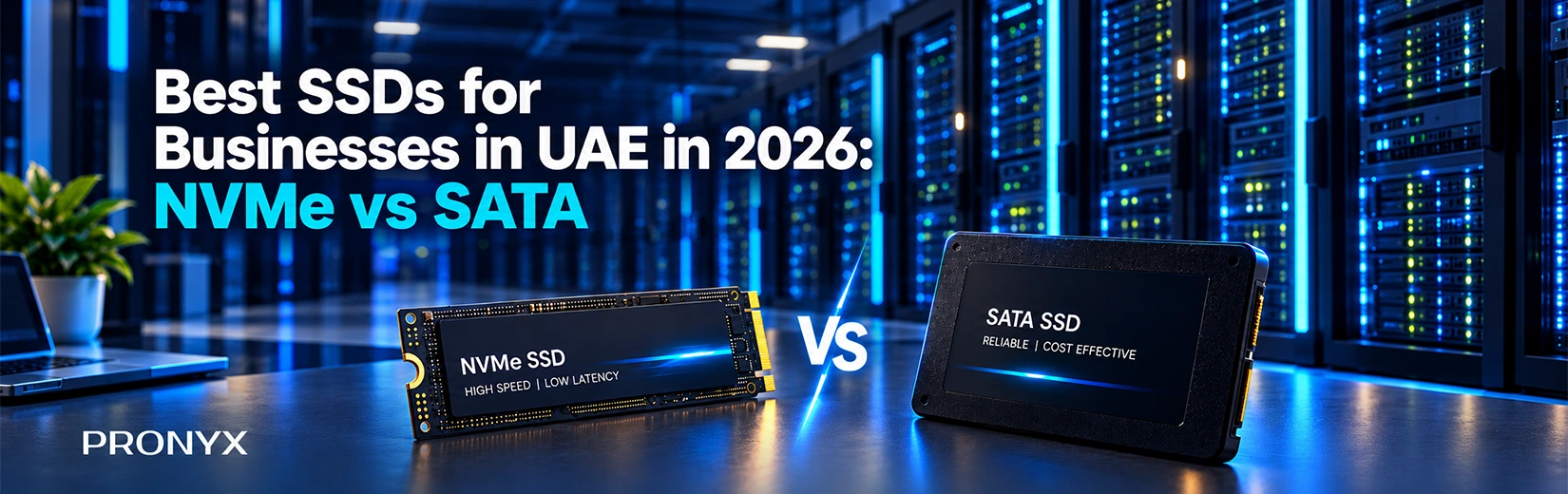
Choosing the right Solid-state drives for a specific business comes down to main factors like speed, workload and compatibility. SSDs come in all sizes, from your everyday office computer to a high-performance workstation, but not all of them will fit in the same system. A 2.5-inch SATA SSD might be what you need for a desktop upgrade, but a newer workstation could support an M.2 NVMe drive.
As an IT reseller and system integrator in the UAE, it helps to know when to go with NVMe and when SATA is enough. So let’s compare both options, check some SSD brands that meet business requirements and see what to check before placing a wholesale order.
SSD demand in the UAE is fueled by multiple reasons, like many people are using computers for everyday tasks so they need SSDs to upgrade existing systems or for newer systems. Similarly, businesses are expanding or upgrading their systems. One major driver of high demand is the infrastructure behind cloud services and AI applications.
The UAE is investing in data centres to support these technologies. For example, Dubai announced an AED 2 billion hyperscale data centre project, as reported by the Emirates News Agency. These types of expansions created more demand for storage hardware used in data centres and other digital infrastructure.
NVMe (Non-Volatile Memory Express) is a storage protocol used by SSDs that connect through PCIe. PCIe is the interface. This means that data can move much faster than with regular SATA SSDs.
NVMe drives are great for newer desktops, workstations and systems that deal with large files or demanding applications. However, different models can have different speeds and the SSD and the computer need to support the PCIe generation.
SATA (Serial Advanced Technology Attachment) is an interface used to connect storage drives to a computer. SATA SSDs are commonly available in a 2.5-inch format and other formats too, making them suitable for many older desktops and laptops.
SATA speed limits can be lower than most modern NVMe SSDs. But for everyday office tasks, SATA drives are fine and can be a sensible upgrade when replacing an older hard drive.
The biggest difference between NVMe and SATA SSDs is speed, but that's not the only thing to consider. The computer must support the drive, and the extra performance should be useful for the work it needs to handle.
| Feature | NVMe SSD | SATA SSD |
|---|---|---|
| Connection | PCIe | SATA |
| Speed | Several thousand MB/s on modern models | Around 500–560 MB/s |
| Latency | Generally lower | Generally higher |
| Where it fits | Newer PCs, workstations and demanding applications | Office PCs and compatible older systems |
| What to check | PCIe support and the drive's rated speed | SATA support and required capacity |
Both NVMe and SATA SSDs come in different storage capacities, but their connection types and physical sizes can affect which computers they work with. You'll commonly find 512GB, 1TB and 2TB SSDs. Before choosing a drive, check these details too:
Before ordering Data Storage Solutions, think about the computers the drives are going into. An office PC used for emails and documents has different storage needs from a workstation handling large design files.
When you are ordering SSDs in larger quantities, don't just focus on prices; also check a few more things like:
Make sure quotations are referring to the same model, capacity, interface and form factor you actually need. Two SSDs from the same brand may differ considerably in performance or intended use.
Before you place an order, make sure that the supplier can confirm which SSD models they're selling and where the products are coming from. Check the packaging, serial or batch numbers and any product documentation that is available.
Learn about the applicable manufacturer’s warranty, how defective products are dealt with and who is responsible for returns or replacements. These details matter more when several drives are purchased for a business deployment.
Check availability of the models and quantities needed and the expected time of arrival. If the order is for a scheduled installation, ask about lead times and how the supplier will communicate any delays.
If you look through the different brands, you may see ADATA, XPG and HIKSEMI. Their ranges cover different storage needs, so resellers have choices in matching a drive to a customer’s system and budget.
ADATA makes SSDs in both SATA and NVMe formats, making them a good choice for companies that need drives for different types of computers. They range from products for daily office work to newer systems that require higher performance. For newer systems, NVMe models such as the ADATA LEGEND 960 offer faster data access for demanding applications and multitasking. With different interfaces, capacities and performance levels available, ADATA SSDs give businesses practical options for speeding up existing computers, managing growing storage needs and equipping new workstations without paying for more performance than their workloads require.
XPG is ADATA’s gaming and performance brand with SSDs for compatible gaming PCs and workstations. Take, for example, the XPG GAMMIX S70 BLADE, a PCIe Gen4 NVMe SSD with manufacturer-rated read speeds of up to 7,400 MB/s and write speeds of up to 6,800 MB/s. With its high-speed data transfer, it’s perfect for businesses that rely on powerful workstations for creative and technical work. It allows for faster loading times, working with large project files and other demanding tasks such as video editing and rendering.
HIKSEMI offers SSDs for everyday computer upgrades as well as systems that need faster storage. This gives business buyers options for different budgets and uses. The WAVE(S) is a 2.5-inch SATA SSD for compatible computers, while the WAVE(P) and FUTURE ranges include NVMe drives for systems that need higher speeds. HIKSEMI also has separate SSD ranges for surveillance and enterprise use, so buyers can choose a drive that suits the job.
Pronyx is an experienced and recognised IT hardware distributor in Dubai, serving resellers, system integrators and other businesses. For B2B buyers, sourcing multiple IT brands through one distributor can simplify purchasing and reduce the need to deal with several suppliers.
Pronyx offers SSDs from ADATA, XPG and HIKSEMI, as well as more choice in IT hardware. Its presence throughout the UAE, GCC and wider MENA region also makes it a convenient choice for businesses serving customers across these markets.
NVMe SSDs use the PCIe interface and can be faster, and they have lower latency. SATA SSDs use the SATA interface, and in the real world, sequential transfers are limited to about 500-560MB/s. SATA SSDs are suitable for everyday office tasks & upgrading older computers, while NVMe SSDs are much better for high-performance applications.
It depends on the computer and your usage. If you just do the normal office stuff, like e-mail, spreadsheets and web browsing, a SATA SSD is often plenty. NVMe’s higher speeds can be more useful for video editing, large files or demanding software. If you are upgrading existing PC's make sure that they support NVMe before ordering, as some only support SATA.
No, an NVMe SSD won't work through a SATA connection because the two use different technologies. If your computer only supports SATA, you'll need a compatible SATA SSD instead. Before buying an NVMe drive, check your computer or motherboard specifications to make sure it supports NVMe over PCIe.
Yes, if the computer has the connectors and can handle both drives. For example, a PC might have an NVMe SSD for the OS and a SATA SSD for storage. Available connections (which vary by model) are shown in the motherboard manual.

IT distributors are essential in the IT industry,...
Huntkey is now one of the largest brands...
Huntkey is one of the leading global providers...